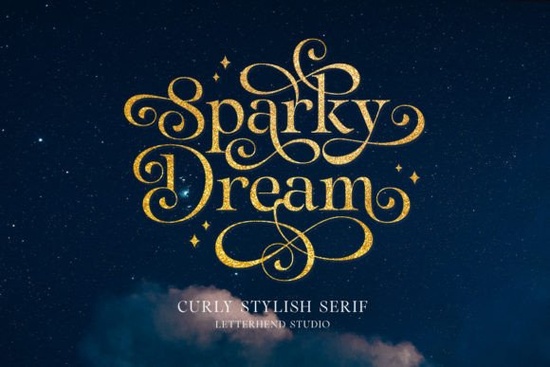
If you're looking for a serif font that combines classic structure with decorative flourishes, Sparky Dream Font is worth a close look. It's a timeless serif typeface with graceful curly swashes, designed to add an air of elegance to formal documents, invitations, branding materials, and packaging. The swashes are not overdone they feel natural and refined, making the font versatile enough for both print and digital projects.
What kinds of projects benefit from Sparky Dream?
Because of its curly swashes and classic proportions, Sparky Dream works especially well in projects that need a touch of formality or romance. Here are a few examples where it shines:
- Wedding invitations – The swashes can frame names or dates beautifully.
- Business logos – Especially for boutique brands, law firms, or luxury services.
- Packaging labels – Adds a handcrafted, high-end feel to product packaging.
- Certificates and diplomas – The serif style gives official documents a traditional look.
- Social media graphics – Use it for quotes or headers to stand out.
If you need a font with even more decorative swashes, you might also like the Dream to Berich font, which offers a different style of flourishes.
How does Sparky Dream compare to other serif fonts?
Sparky Dream sits somewhere between a classic serif and a display font. The swashes are attached to specific letters, so you don't have to manually add them. That saves time and keeps consistency. In contrast, Gibs font is a cleaner serif with fewer decorative elements better for body text or minimalist branding. The Ronsa font has a similar old-world feel but relies more on contrast between thick and thin strokes rather than swashes.
When choosing between them, think about your project’s tone. Sparky Dream is ideal when you want to highlight elegance without being too flashy. For a more understated look, Gibs or Ronsa might be better options.
Is Sparky Dream easy to use in design software?
Yes, it installs like any standard font (OTF or TTF format) and works in Adobe Illustrator, Photoshop, Canva, Microsoft Word, and most other design tools. The swashes are included as OpenType features or alternate characters. In programs like Illustrator, you can access them via the Glyphs panel or by enabling stylistic alternates.
For beginners: open the Glyphs panel, find the swash version of a letter, and double-click. Once you get used to it, you can quickly add flourishes without extra work.
Where can I download Sparky Dream?
The Sparky Dream font is available on Creative Fabrica along with thousands of other fonts. You can also find related serif fonts like Dream to Berich, Gibs, and Ronsa there if you want to explore similar styles. The platform often has bundle deals, so you can grab several fonts at a discount.
What should I check before using Sparky Dream in a project?
Here's a quick checklist to make sure it fits your needs:
- Language support – Does it include accented characters for your language? Check the character map.
- Swashes in all caps – Some fonts only add swashes to lowercase letters. Sparky Dream includes a few uppercase swashes, but test your word first.
- Pairing – Sparky Dream works best with a simple sans-serif like Montserrat or Open Sans for body text. Avoid pairing it with another decorative serif.
- File format – Make sure you download the version (OTF recommended) that works with your software.
Tip: Before buying, try the font in a short test sentence that includes your brand name or key phrase. That way you can see how the swashes flow together.
If you're ready to add a classic, elegant touch to your next design, give Sparky Dream a try. Download it, test it on a real project, and see if the curly swashes give your work the refined look you're aiming for.
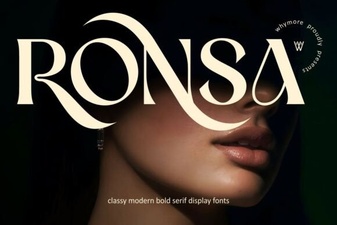 Unlocking Creativity with the Ronsa Typeface
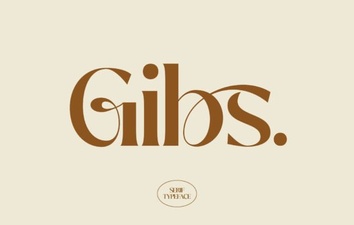 Gibs Font: a Modern Creative Typeface for Designers
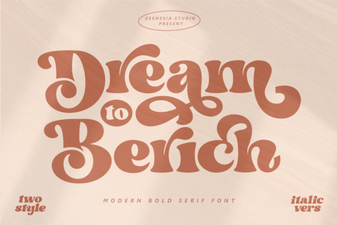 Dream Font: Creative Designs for Your Projects
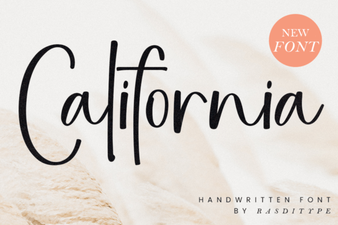 The California Font: a Guide to Design & Style
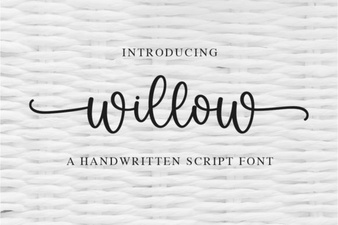 Willow Font: Elegant Scripts for Your Creative Projects
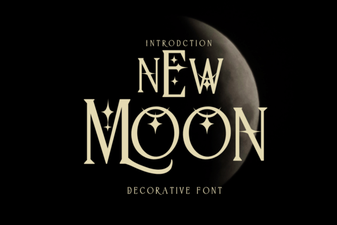 New Moon Font: Creative Ideas & Design Applications